Families with school and daycare dates
Pickup times, parents' evenings, birthdays and doctor's appointments sit in one place. Both parents see the same plan in the morning and don't have to ask who is doing pickup today.
Every appointment in your household in one place, up to date on every phone.
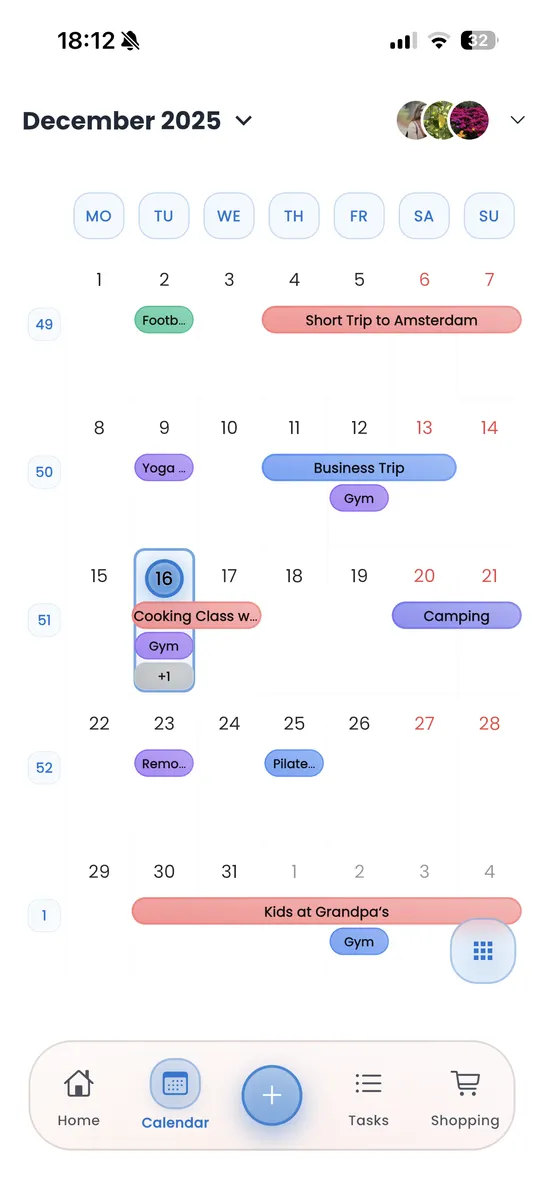
Homzie is a family calendar app for iPhone and Android. Everyone in the household adds their events to the same calendar and can see what the others have planned: the parents' evening, the dentist or football practice on Thursday.
Colour categories let you separate work, school and free time. A reminder pops up before important events, and every change shows up on all phones right away. Tasks, shopping lists and the meal plan live in the same app, so you don't need a second app for everyday family life.
Mostly when appointments are currently spread across group chats, sticky notes and several private calendars.
Pickup times, parents' evenings, birthdays and doctor's appointments sit in one place. Both parents see the same plan in the morning and don't have to ask who is doing pickup today.
Shift work, weekend visitors or a meeting with the landlord: in the shared calendar everyone can see when the others are home and when the flat will be busy.
The best fit depends on what else you organise together besides appointments.
| What you need | Homzie | Google Calendar | Paper calendar |
|---|---|---|---|
| Events visible to everyone | yes | yes, with a shared calendar | only at home on the fridge |
| Reminders | yes | yes | no |
| Mixed iPhone and Android | yes | yes, with a Google account | not needed |
| Tasks, shopping list and meal plan | yes, in the same app | no, you need other apps | no |
| Cost | core features free | free | price of the calendar |
If you only want to share appointments and everyone already uses a Google account, Google Calendar is often enough. Homzie is worth it if you also plan shopping, chores and meals together.
Download Homzie and organize your household.
Short answers about using Homzie as your family calendar.
Free options include a shared Google Calendar and Homzie. Google Calendar works well if you only share appointments. Homzie combines the calendar with tasks, shopping lists and a meal plan, and the core features are free.
In Homzie you create a household and invite the others with a link, for example via WhatsApp, text message or email. After that everyone sees the same calendar and can add events.
Yes. Homzie runs on iPhones with iOS 16 or later and on Android phones. A household can mix both, and everyone sees the same events.
Yes. Everyone in the household can create and edit events. Personal and shared events sit in the same calendar.
Yes. A new or edited event shows up on the others' phones straight away. You can still add events without internet, and they sync once you're back online.